Canvas
Canvas is the main workspace where you design your UI by dragging and dropping widgets. See your results instantly with live preview, and build responsive layouts with ease.
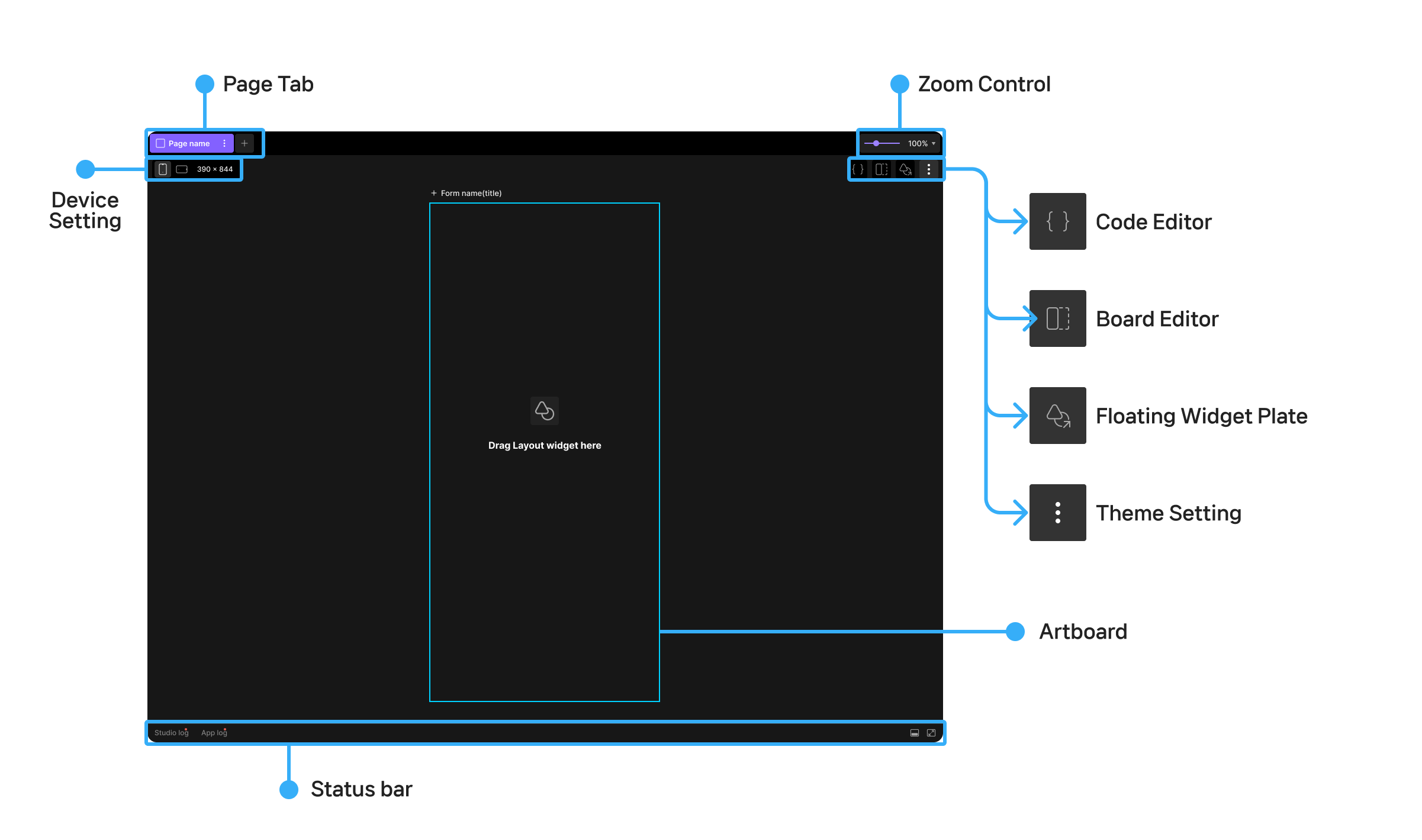
Page Tab
- Shows the page that's currently open.
Docking (Split View)
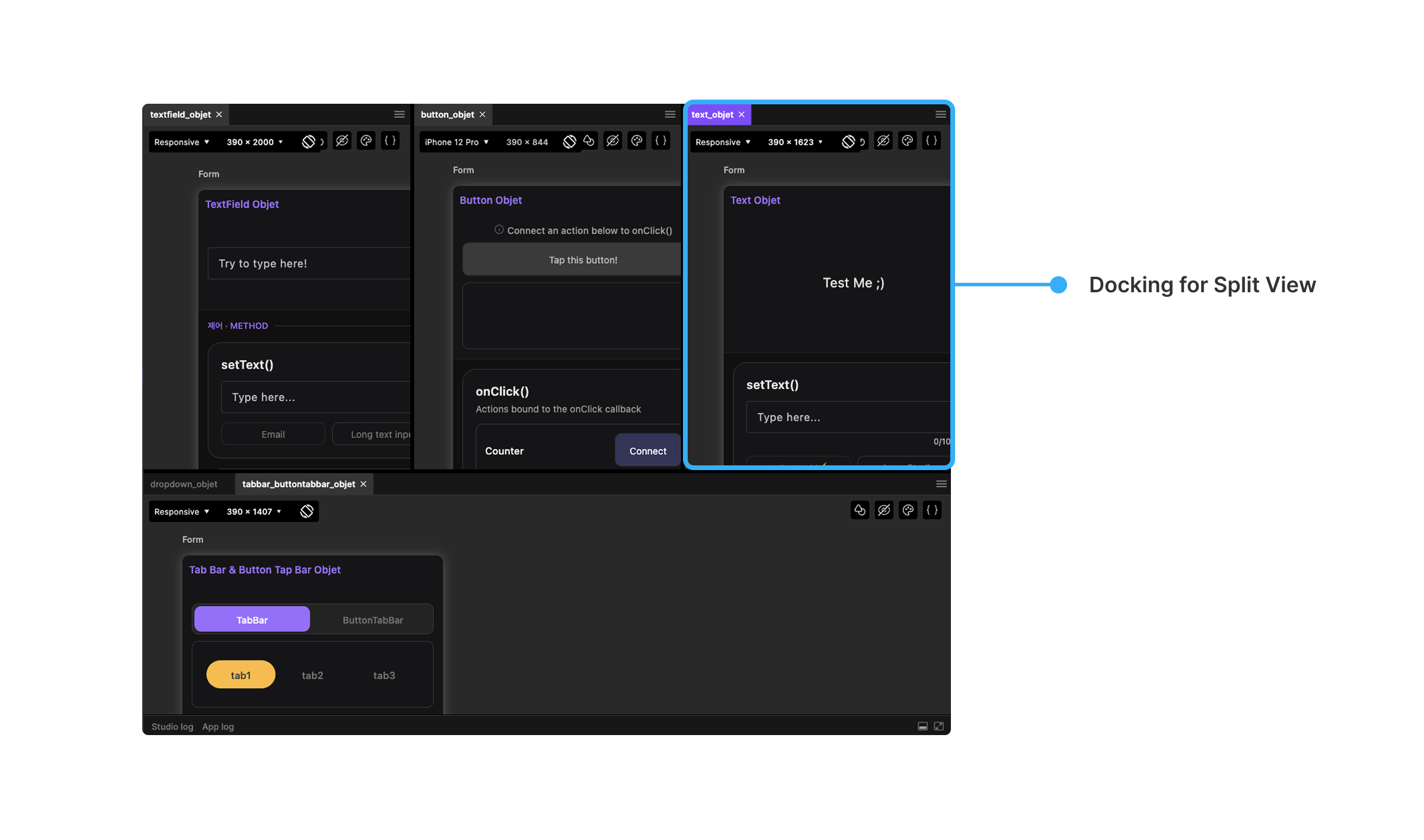
- Splits the canvas into multiple panes so you can view and edit several pages side by side.
- Drag a page tab to where you want it, and the canvas splits in that direction, opening the page in the new pane.
- Drag the divider between panes to resize them.
- Drag a page tab into another pane to move, rearrange, or merge pages.
Artboard
- The canvas representing your device screen, where you design your UI.
- Add widgets by dragging them from the widget palette, then apply properties from the Property Panel to build your UI.
Zoom Control
- Zoom in or out to adjust the artboard's size.
Device Setting
- Device selection: Set the artboard's size to match a device.
- Landscape/portrait mode: Switch between landscape and portrait orientation.
- Custom size: Set the artboard's width and height to whatever size you need.
Code Editor
- Code editor: Open the code editor tab to view and edit the screen's code.
- Code theme settings: Set the theme for the code's font, weight, size, color, and more.
Floating Widget Plate
- The Floating Widget Plate gives you quick access to widgets right from the canvas.
- Add widgets to the artboard quickly without opening the Widgets tab in Plate.
Theme Setting
- Theme management
- Apply a predefined theme to all widgets at once to keep a consistent design across the app.
- Set up both a light theme and a dark theme, with support for multiple theme configurations.
- Access Color Theme settings from
Plate's bottom-left menu → Style → Color Themesin Lucy Studio.
Status bar
- The status bar sits at the very bottom of the Canvas screen, showing the current project's run status and other information.
- Status display: Shows real-time status such as the current project's build status, connection status (Run/Stop), and whether errors have occurred.
- Access to logs and debugging: The status bar provides quick-access buttons to the Log and Debug Console.